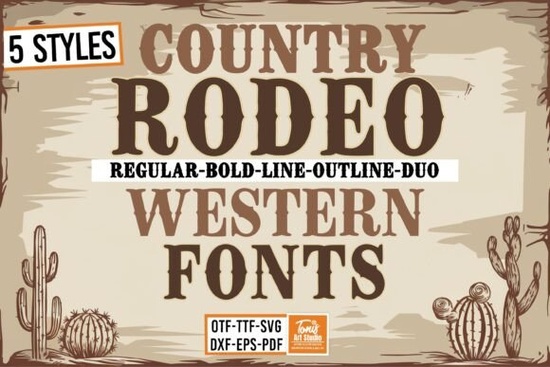
If you're looking for a Western-style font that works across digital design, print-on-demand products, and physical crafting like Cricut or Silhouette projects the Rodeo Bundle Font is a practical, well-rounded choice. It’s not just one font, but five coordinated styles: Regular, Bold, Line, Outline, and Duo. Each shares the same rugged, hand-drawn Western character while offering real flexibility whether you’re setting a bold t-shirt headline, layering a subtle outline effect on signage, or cutting layered vinyl with SVG files included in the bundle.
What makes this bundle different from other Western fonts?
Many Western fonts lean too heavily into cliché overly distressed, hard to read at small sizes, or limited to a single weight. The Rodeo Bundle Font avoids those pitfalls. Its letterforms are clean enough for legibility (even on curved surfaces like mugs or hats), yet unmistakably rustic. The Duo style, for example, pairs a solid base with a companion line element ideal for creating depth without needing complex layering in your design software. And because all five styles share consistent spacing and proportions, switching between them feels intuitive, not jarring.
How do people actually use it?
Here’s what crafters and designers tell us they’ve made with it:
- T-shirts and tote bags especially for ranch-themed shops, rodeo events, or family reunions with a Western twist
- Wood signs and metal wall art the Outline and Line versions cut cleanly on CNC or laser machines
- Digital logos and social media banners the Bold and Regular weights hold up well on Instagram thumbnails and Etsy shop headers
- SVG-based party decor birthday banners, cupcake toppers, and paper straws for cowboy-themed baby showers or school events
The included SVG cut files mean you don’t need to convert fonts manually just import and cut. That saves time whether you’re prepping for a weekend craft fair or fulfilling bulk POD orders.
Does it pair well with other fonts?
Yes and thoughtfully. Because Rodeo has strong personality but balanced proportions, it pairs naturally with simpler sans-serifs (like Montserrat or Poppins) for contrast, or with other display fonts that share its handmade warmth. For example, if you’re designing a summer camp logo that mixes Western and playful vibes, you might pair Rodeo Bold with Cute Stories Font. Or for a sports-themed merch line, try layering it with Soccer Football Jersey Font on team posters where “Rodeo Rivals” meets “Soccer Showdown.”
It also sits comfortably alongside more structured display fonts like Triple Font (great for stacked event names) or Preppy Varsity Font (for collegiate-Western mashups think “Texas A&M Rodeo Club”).
Is it beginner-friendly?
Yes. If you’ve used fonts before in Canva, Cricut Design Space, or Silhouette Studio, you’ll recognize how these install and behave. No special software required. The Regular and Bold versions work as standard OTF/TTF files. The Line and Outline versions include both vector outlines and ready-to-cut SVGs so no tracing or path-finding needed. And unlike some Western fonts that rely heavily on alternates or ligatures, Rodeo keeps OpenType features minimal, reducing setup time.
One thing to keep in mind: since it’s a display font, avoid using it for body text or long paragraphs. Stick to headlines, labels, quotes, and short phrases where its character shines.
Where can I see real examples?
Creative Fabrica hosts user-uploaded projects using the Rodeo Western Font Bundle, including mockups of heat-transfer vinyl on denim jackets and layered acrylic signs. You’ll also find tutorials on YouTube showing how to combine the Duo style with shadow effects in Photoshop or adjust cut settings for balsa wood in Easel.
If you’re comparing options, consider how much you’ll use multiple weights versus needing just one standout style. Bundles like this tend to offer better long-term value than buying individual Western fonts especially since the Line and Outline versions aren’t always available separately.
Before downloading: Check your software compatibility (all files are OTF, TTF, and SVG), confirm your license covers commercial use (it does, including POD), and save a test file using the Regular weight first just to verify installation and spacing.
Get Started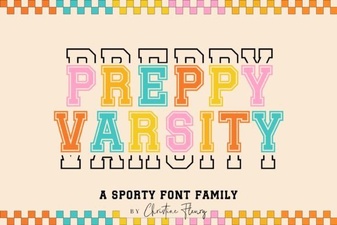 Designing with Preppy Varsity Fonts
 Groovy Retro Font Bundle for Vibrant Designs
 College Font Styles for Class Projects
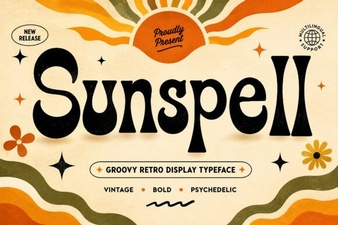 Sunspell Font: a Creative Tool for Modern Designers
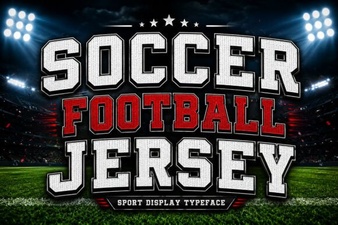 Guide to Soccer Jersey Font Design & Styles
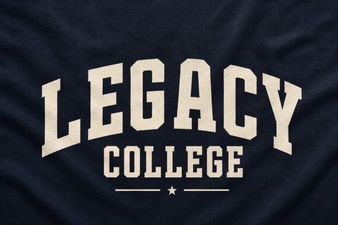 Choosing a Legacy College Font for Your Designs