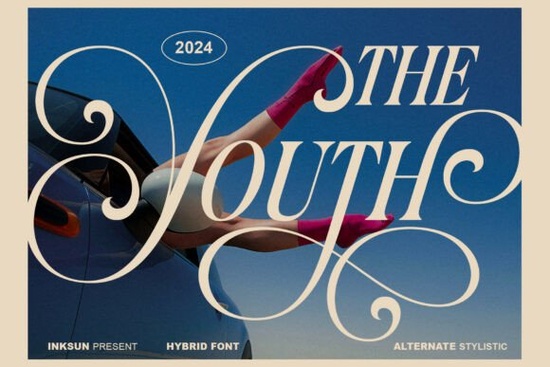
If you're looking for a serif font that feels both timeless and unexpected something that works as well on a boutique clothing tag as it does in a high-end editorial spread you’ll want to take a closer look at The Youth Font. It’s not just another decorative typeface. It’s a hybrid: part classic serif, part expressive art object. Its ultra-fine hairlines and dramatic, upward-sweeping swashes give it presence without heaviness ideal when you need elegance with energy.
What makes The Youth Font different from other serif fonts?
Most serif fonts fall neatly into categories: traditional (like Garamond or Caslon), modern (think Didot or Bodoni), or slab (such as Rockwell). The Youth Font sits between them. It keeps the structural clarity of editorial typography clean letterforms, balanced spacing but adds expressive details that feel hand-drawn or even sculptural. That contrast is why it stands out in contexts where subtlety isn’t enough, but shouting isn’t appropriate either.
For example, if you’re designing a product label for a small-batch skincare line, this font gives sophistication without feeling cold or corporate. Or if you're laying out a zine or artist book, its rhythmic swashes can guide the eye across pages in a way that feels intentional not gimmicky.
Where does it work best?
This font shines where visual tone matters as much as legibility. Think:
- Luxury lifestyle branding logos, packaging, and social media graphics for boutiques, cafes, or wellness studios
- Photography overlays especially fashion, portraiture, or travel imagery where text needs to complement, not compete
- Editorial design magazine headlines, pull quotes, or chapter openers that benefit from personality and pacing
- Print-on-demand products tote bags, art prints, or greeting cards where a distinctive serif adds perceived value
It’s not built for body text or long paragraphs its charm lives in short, impactful uses. You’ll find it most effective at sizes 24pt and up, especially when paired with a clean, neutral sans-serif for supporting text.
How does it pair with other fonts?
Because The Youth Font carries strong character, it pairs best with typefaces that offer contrast without conflict. A simple geometric sans like Montserrat or Poppins creates balance. For something warmer, try a humanist sans like Lato or Nunito. Avoid pairing it with other highly decorative fonts the result can feel cluttered rather than curated.
You’ll also notice how well it works alongside minimalist layouts. If your brand leans into negative space, soft textures, or muted palettes, this font adds just enough visual interest to hold attention without overwhelming.
Is it easy to use for non-designers?
Yes if you’re comfortable installing fonts on your computer or uploading them to Canva, Adobe Express, or Cricut Design Space. It includes standard OpenType features like ligatures and alternate characters, but you don’t need to use them to get great results. Even the default version looks polished and intentional.
One practical note: because of its fine lines and delicate swashes, it’s best used on light or medium backgrounds. On dark or busy textures, some details may disappear unless you adjust tracking or size carefully.
Looking for similar options?
If you enjoy The Youth Font, you might also appreciate The Youth Font’s siblings in Creative Fabrica’s serif fonts collection particularly those labeled “editorial,” “elegant,” or “artistic.” You can explore more options directly on the serif fonts page, where filters help narrow by style, license type, or file format.
Keep in mind that licensing matters especially if you plan to use the font commercially (e.g., on merchandise or client work). The standard license covers personal and small-business use, including POD platforms, but always double-check the license details before finalizing a project.
Before you download:
- Test it at real size preview how it looks on your intended medium (screen, print, fabric)
- Try it with your brand colors some swashes read better in black or deep navy than in pastels
- Check spacing in your layout software tight tracking can make fine lines harder to distinguish
- Save a backup version of your file with outlines if sending to a printer
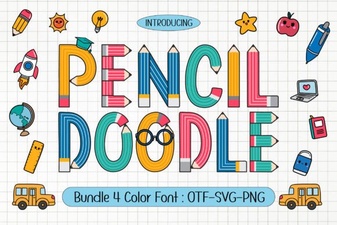 Creative Projects with Pencil Doodle Fonts
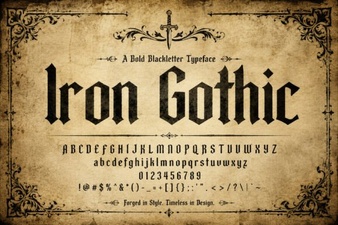 Iron Gothic Font Designs for Creative Projects
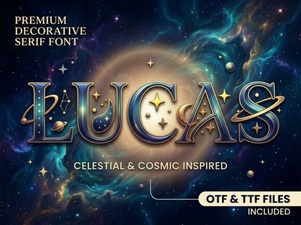 Craft with Lucas Font for Creative Designs
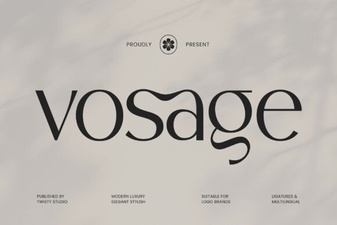 Download the Vosage Font for Creative Web Design Projects
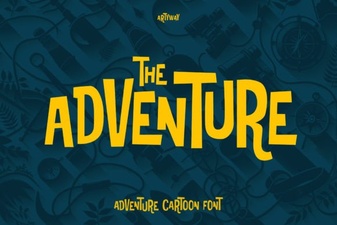 The Creative Power of Adventure Fonts for Design Projects
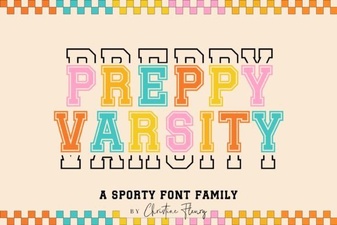 Designing with Preppy Varsity Fonts